Message "No valid license can be found" when I am trying to start GDS
The GDS2 subscription has to be renewed.
How to renew the GDS2 license:
1. Check date and time on the computer so that they are correct
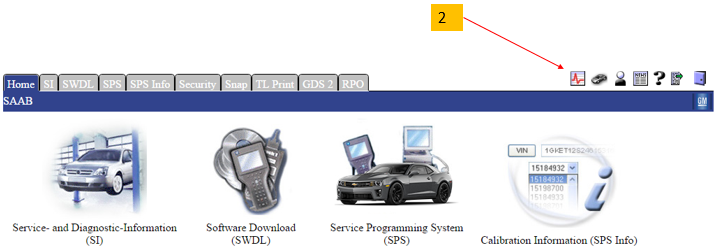
2. In TIS2WEB start "TIS Diagnostic Tool". There is an icon in upper right corner, see below.
3. Take away the current subscription with the button "Delete Software key"
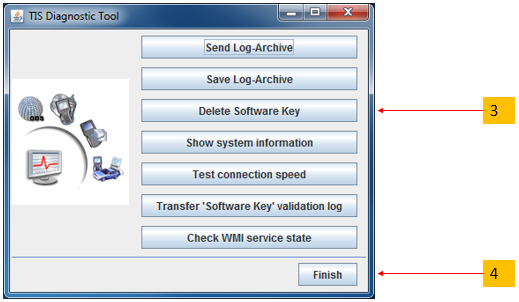
4. Close TIS2Web Diagnostic Tool with the "Finish" button
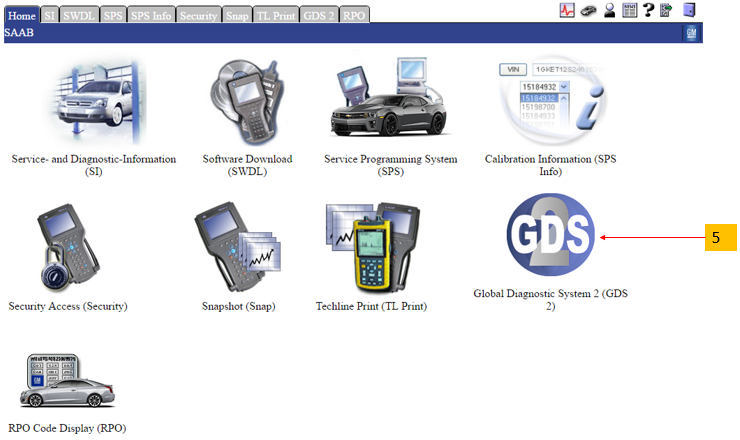
5. Start GDS2 from TIS2Web to renew the subscription
Important: You have to log in to TIS2Web, start GDS2 from there and don't use any old short cuts.